
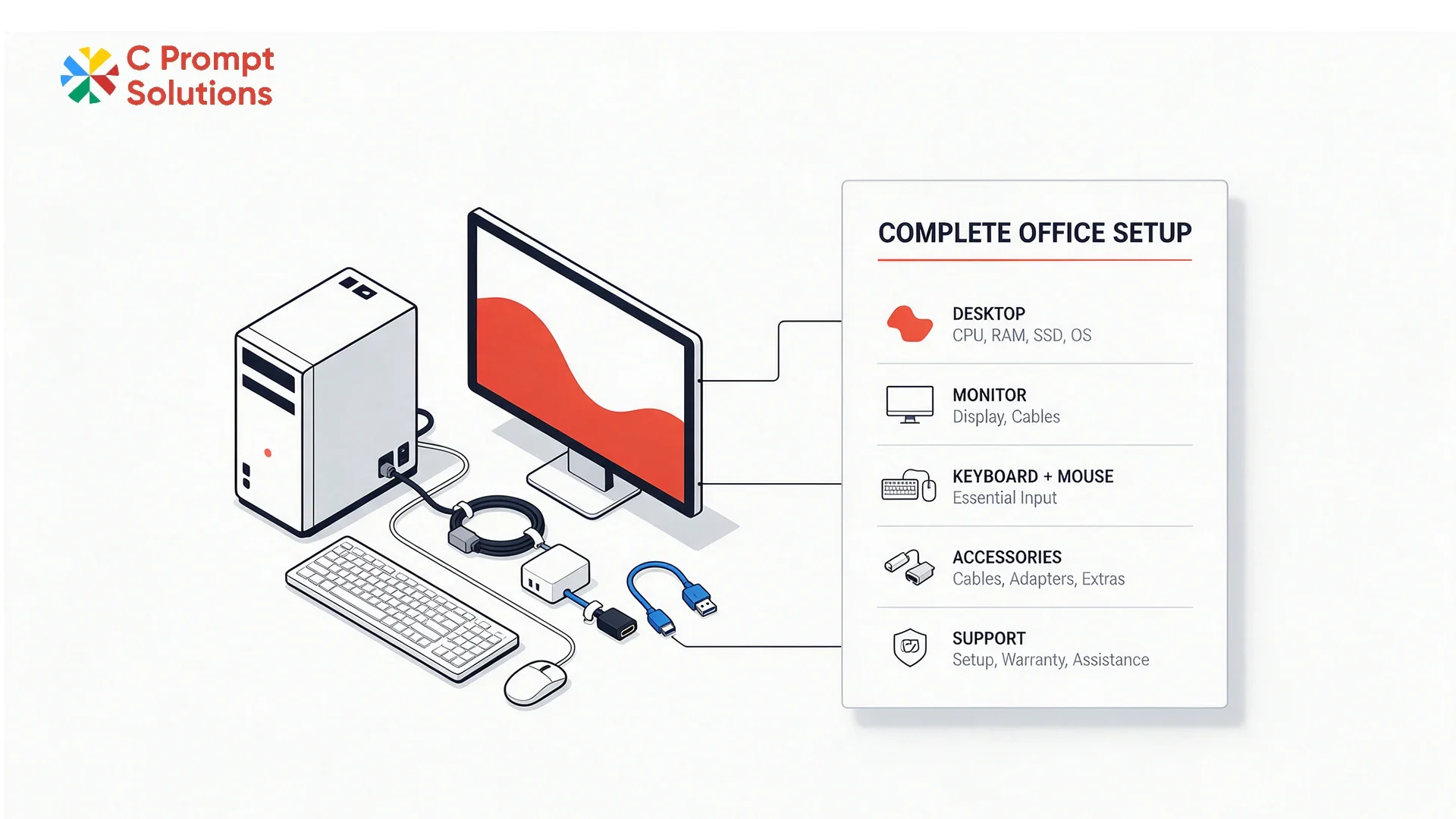
GST applies at 18% under CBIC Notification 11/2017-Central Tax (Rate) on a desktop rental. That figure is fixed, and it never explains why one desktop rental price looks cheaper than another for what seems like the same machine. The real gap sits in what surrounds the tower: monitor, keyboard, mouse, software and installation.
This guide walks through what a complete office desk setup should include before comparing two quotes on the headline number.
CPU Configuration Sets the Baseline
CPU configuration should be matched to the role, not defaulted to one spec across the whole office. A finance team running spreadsheets and browser-based tools needs a different processor and RAM tier than a design team running heavier applications. State the workload per role when requesting a quote, since a flat configuration across every desk either overspends on light roles or underpowers heavy ones.
- State processor generation and RAM per role, not as one office-wide average
- Confirm storage tier separately, since it prices independently of processor and RAM.
- Ask whether integrated or dedicated graphics apply, if any visual work is involved.
Monitor Inclusion Changes the Real Cost of the Desk
Monitor inclusion should be confirmed explicitly, since a desktop rental price quoted for the tower alone is not a complete desk setup. Some vendors bundle a monitor by default; others quote the tower and monitor as separate line items that only appear once asked about directly. Confirm screen size and resolution alongside inclusion, since two included monitors can still differ meaningfully in spec.
Keyboard and Mouse Are Often Assumed, Rarely Itemised
Keyboard and mouse are the peripherals most often left off a desktop rental price quote by default, treated as an assumed inclusion rather than a stated one. Confirm whether these are included per desk, and whether the quote covers standard or ergonomic options if that matters for the team. A quote silent on this detail usually means a basic set, not necessarily the one the office actually wants.
Software Build Should Be Set Before Delivery
Software build means the operating system, security software and standard business applications are loaded before the desktop arrives, so employees can log in and start working immediately. Confirm whether this is included as standard, or billed as a separate setup charge per unit. A desktop rental price that excludes software build looks lower until that charge appears once the office actually needs the machines configured.
Installation at the Desk Is a Separate Task
Installation covers physically setting up the desktop, monitor and peripherals at each desk, and cabling everything correctly. It also means confirming the machine boots and connects to the network before the vendor leaves. Confirm whether installation is included, or whether the office receives boxed equipment and handles setup internally. This matters more at scale, when a hundred-desk installation without vendor support becomes a significant internal task.
- Confirm whether installation is per-desk or a bulk drop-off with no setup
- Ask whether network connectivity is tested at each desk before handover
- Confirm cabling is included for the full setup, not the tower alone
Desk Quantity Changes the Per-Unit Rate
Desk quantity affects the desktop rental price through volume pricing, the same way it does on any equipment rental. Confirm where the vendor's quantity bands start, since a ten-desk order and a hundred-desk order rarely sit on the same rate card. Ask specifically what the bulk discount applies to: the tower alone, or the complete setup including monitor and peripherals.
Support Scope Should Be Defined for the Full Setup
Support scope on C Prompt's Monthly Rentals plan should cover the complete desk setup, beyond the tower alone. A monitor or peripheral failure needs the same response commitment as a desktop failure, since a broken monitor stops work just as effectively as a broken tower. Confirm the replacement SLA applies to every component of the setup, not only the main unit.
Rental Term Should Match the Office's Actual Plan
Rental term on a desktop rental works the same as any monthly rental: a floor of one month, with the term set against how long the office actually needs the setup. A temporary office or a project-based team should confirm the minimum term before signing, since ending early rarely reduces the bill for that period.
GST and TDS on a Desktop Rental
GST applies at 18%, shown as its own line on the invoice, separate from the device rate. Once monthly rent to a single vendor crosses ₹50,000, Section 194-I requires 2% TDS to be deducted before payment. Confirm both lines on a sample invoice before comparing the final desktop rental price across two vendors.
Documents Required for a Desktop Rental
Signing a desktop rental agreement needs the same standard KYB documents as any other IT equipment rental: company PAN, GST registration, and the signing authority's identification and authorisation letter. Most vendors confirm the exact list with the quotation, whether the order is a handful of desks or a full-floor office setup.
Desktop Rental vs Computer Rental Cost
Desktop rental describes the service. Computer rental cost describes the number a business wants to compare across vendors, whether the request is for desktops, laptops, or a mix of both. Neither term changes what drives that cost: CPU configuration, monitor inclusion, peripherals, software build and installation. Compare two quotes on all five before assuming the lower headline monthly figure is the better deal.
Comparing Two Desktop Rental Quotes on the Same Role Mix
Two vendors quoting against the identical role mix and desk count can still land on different numbers once monitor, peripherals, software build and installation are factored in. Line up both quotes against the same items before comparing the final total. A quote that looks lower on the headline monthly figure can move ahead or behind once every component that ships with the desk is added back in.
- CPU configuration, matched exactly per role, not as an office-wide average
- Monitor, keyboard and mouse, itemised rather than assumed included
- Software build and installation, confirmed as included or billed separately
A Multi-Floor Office Needs One Consistent Setup
A multi-floor or multi-office desktop rental order benefits from a single, consistent setup specified once and applied everywhere, rather than each floor negotiating its own configuration. Confirm the vendor can hold one CPU configuration per role, one monitor spec and one peripheral set across every location in the order. A mixed setup across floors creates a support headache later, when a replacement for one location does not match the rest of the fleet.
Frequently Asked Questions
Does a desktop rental price include a monitor?
Not always. Confirm whether the monitor is bundled by default or quoted as a separate line item, and check its screen size and resolution either way.
Are keyboard and mouse included in a desktop rental?
Usually assumed but rarely itemised. Confirm this explicitly, especially if ergonomic options matter for the team.
Does desktop rental price change with desk quantity?
Yes, through volume pricing. Confirm where quantity bands start and whether the discount applies to the full setup or the tower alone.
Is installation included in a desktop rental quote?
It depends on the vendor. Some include per-desk installation and cabling; others deliver boxed equipment for the office to set up internally.
Is GST charged on a desktop rental?
Yes, at 18%, shown as a separate line on the invoice. Registered businesses can claim input tax credit on this amount.
Does rental term affect desktop rental price?
Yes. Shorter terms typically carry a higher per-unit rate. Confirm the rate at the actual duration needed before comparing two quotes.
What documents are needed to sign a desktop rental agreement?
Standard KYB documents: company PAN, GST registration, and the signing authority's identification and authorisation letter. Most vendors confirm the exact list with the quotation.
Can a multi-floor office get the same desktop setup across every location?
Yes, if specified upfront. Confirm the vendor can hold one CPU configuration, one monitor spec and one peripheral set across every floor, rather than each location negotiating separately.
Desktop rental price comes down to a complete office setup, not the tower alone: CPU configuration, monitor inclusion, keyboard and mouse, software build, installation, desk quantity, support scope and rental term. Compare all eight before assuming a lower headline figure is the better quote.